Is this Google review link generator free?
Yes. There's no signup, no API key and no limit. You can make as many review links, QR codes and signs as you need.
How do I get my Google review link?
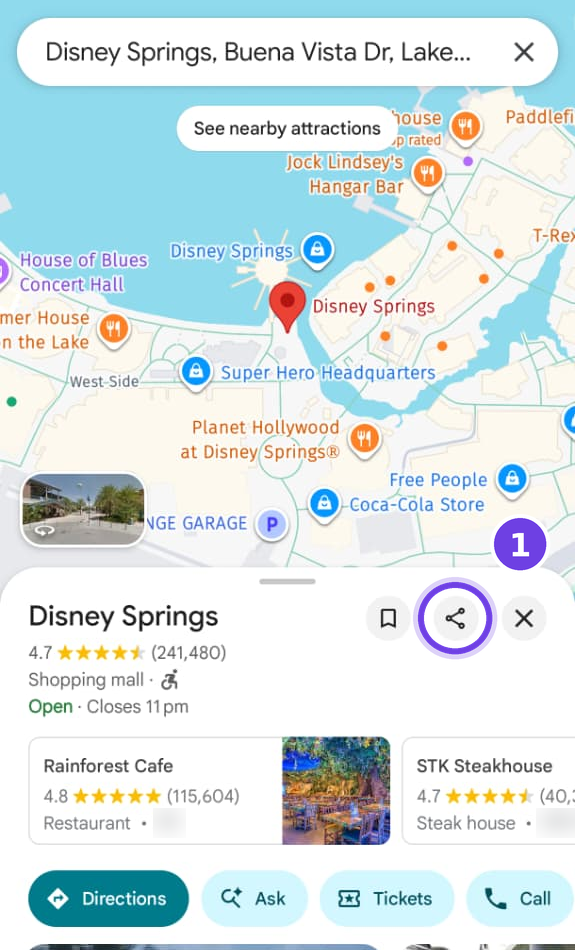
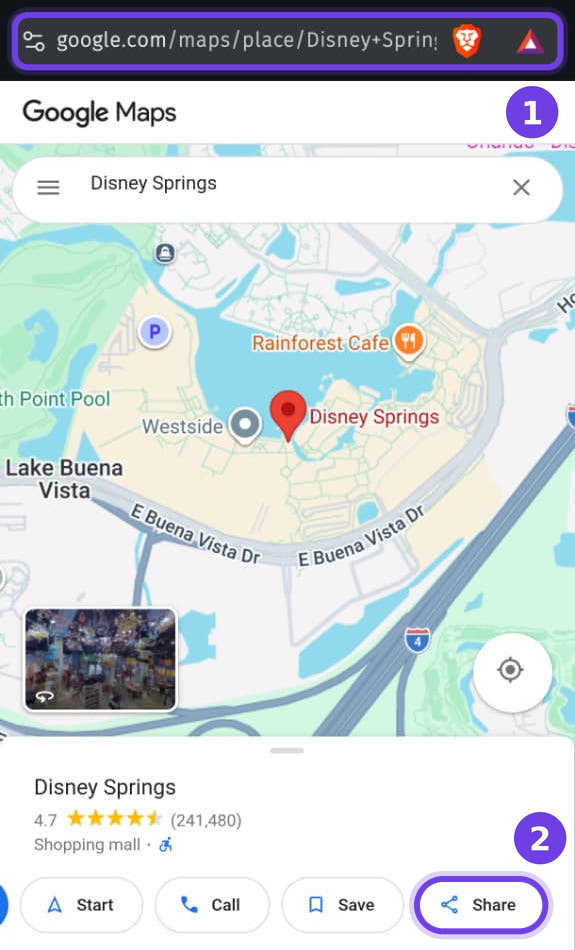
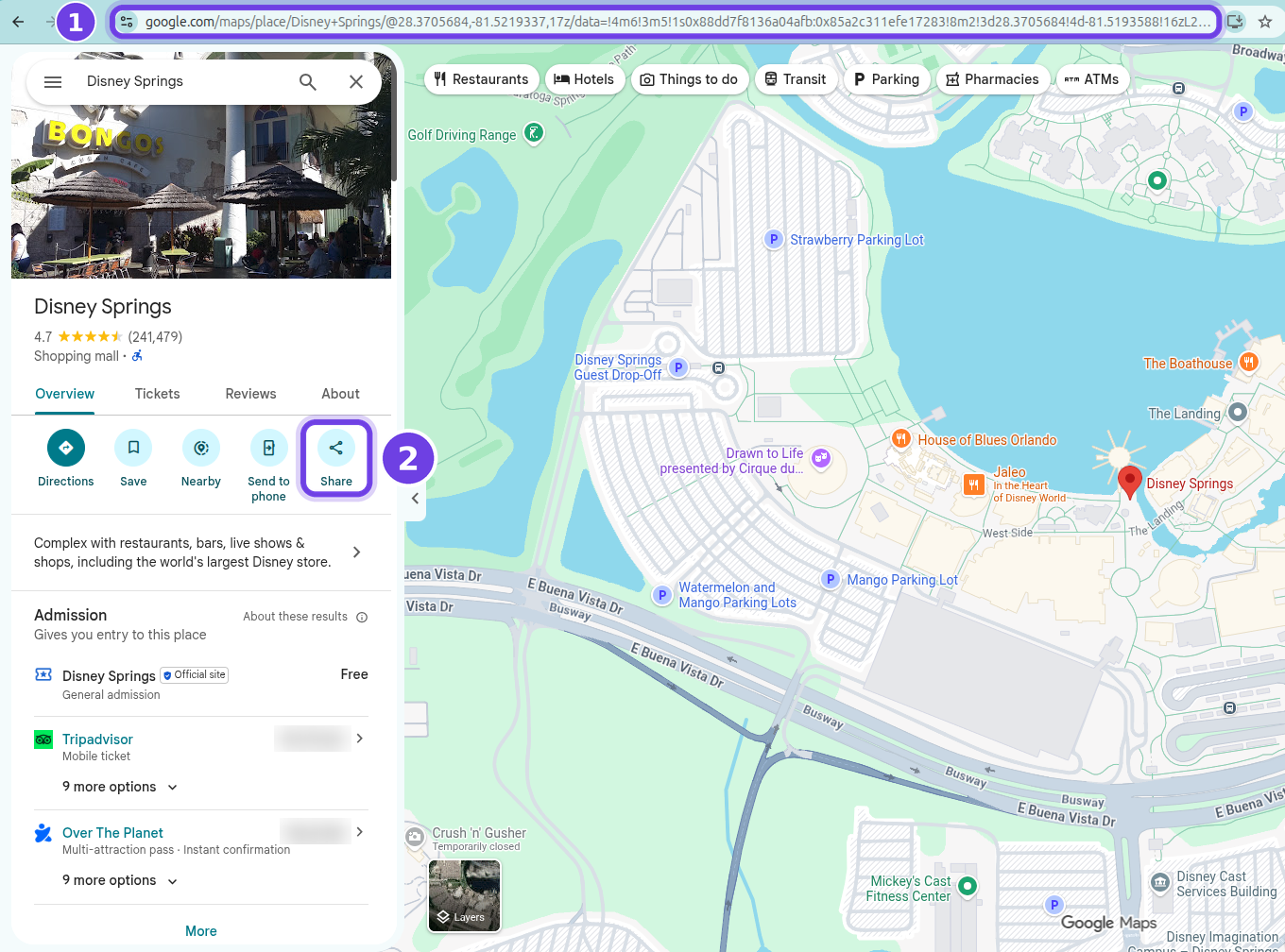
Open your business in Google Maps, tap Share and copy the link. Paste it into the generator and press Get my review link. You get a link that opens your Google review box in one tap.
Can I get my Google review link without a Business Profile login?
Yes. The link only needs the business's public Google Maps listing, so you don't have to sign in to Business Profile or be the owner. That also makes it useful for agencies and staff who don't manage the profile.
Google Business Profile has its own review link. Why use this?
If you manage the profile, Google's own review link (it starts with g.page/r/) works well, and you can paste it here to get a QR code, signs and messages for it. This generator is for everyone else and for everything around the link: it needs no sign-in, works from any Google Maps link, shows the full direct link with nothing in between, and makes printable signs and ready-to-send messages.
What is a Place ID?
A Place ID is the code Google uses for one place on Google Maps. Business Place IDs start with ChIJ. A review link is the Place ID added to https://search.google.com/local/writereview?placeid=.
Why does my link open my Google listing instead of the review box?
Some links only carry a number Google calls a CID, and a CID can only open the listing. Customers then have to tap Write a review themselves. Open your business in Google Maps, tap Share and paste that link instead, and you'll get a one-tap link.
How do I get a Google review QR code?
Paste your Google Maps link here. The generator makes a QR code for your review link as soon as the link is ready. Download it as a PNG for screens and quick prints, or as an SVG for print shops and large signs. You can also print it on a free counter card, A4 poster, square sticker or business card template.
Does a Google review QR code expire?
The QR code holds the review link itself, with no redirect in between, so nothing on our side can make it stop working. Google can give a business a new Place ID, for example after it moves, and the old link then stops opening the review box. Scan your printed signs now and then to check.
Google says “Our policies do not permit contributions to this type of place”. What's wrong?
The link points to a place that can't be reviewed, such as a town, a road or a landmark, instead of a business. Open your business itself in Google Maps, make sure its own panel is showing, then tap Share and paste that link.
Can customers leave a Google review without a Google account?
No. Google only takes reviews from people who are signed in to a Google account. Most phones are already signed in through Gmail, YouTube or Android, so for most customers it's still one tap.
Can the link open with five stars already selected?
No. Google doesn't offer that, and asking only happy customers for reviews goes against Google's review rules. Send the same link to every customer.
Can I offer a discount in exchange for a Google review?
No. Google's rules don't allow rewards for reviews, and reviews written for a reward can be removed. Ask every customer the same way, with nothing attached.
What's the difference between a Google review and a testimonial?
A Google review lives on your Google listing, where people find you, and Google decides how it shows. A testimonial is a few words or a short video from a customer that you collect yourself and show on your website, ads and social posts. Most businesses want both. The tool includes a message to ask for a testimonial, and Proofy can ask every customer for a review or testimonial automatically after they buy.
Do you store my link?
No. The link is built in your browser. Only Google short links, the ones that start with maps.app.goo.gl, are sent to our server, to see which business they lead to, and we don't keep them.